Prerequisites
- Install Node.js
- Install the template generator with
npm install -g yo generator-code
Generate a VS Code Extensions
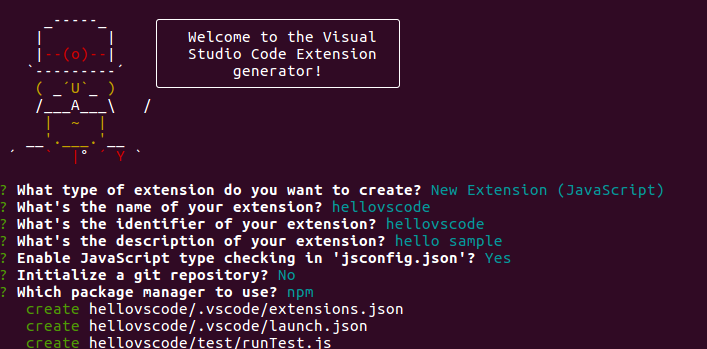
- Open your terminal and run
yo code. - Follow the prompts in the terminal (select the type of the extension, enter a name for the extension, etc.). At the end, a folder with files for the extension is created.
- Open the extension folder in VS Code.
- Write your commands in the file
extensions.js(orextensions.tsdepending on the extension type). - Edit the
package.jsonto link your commands from theextension.jswith your code. For more information, see npm: package.json. - If yneed to import modules (defined as dependencies in
package.json), run the commandnpm installin the extension folder. - Test the extension by pressing F5, then Crtl+Shift+P to open the command palette and enter the title of your command.
In case of errors, open the Output panel (Ctrl+Shift+U) and select Extension Host from the dropdown to troubleshoot.